



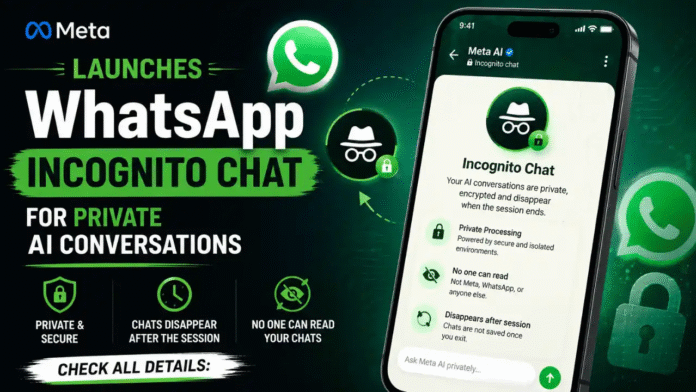
Meta just launched Incognito Chat with Meta AI on WhatsApp, introducing what it calls a “completely private” way to interact with artificial intelligence. The feature processes conversations inside a secure environment that even Meta itself cannot access, with messages that disappear by default once the session ends.
But in a world where a federal judge recently ruled that AI chatbot conversations can be used as evidence in court, does WhatsApp’s new incognito mode actually deliver on its privacy promise? Here is everything you need to know.
What Is WhatsApp Incognito Chat?
Incognito Chat with Meta AI is a new privacy layer built into WhatsApp that lets users have temporary, encrypted conversations with Meta’s AI assistant. Unlike regular Meta AI chats on WhatsApp, incognito sessions are designed to leave no trace.
Here is what makes it different from a standard Meta AI conversation:
- Messages are not saved on Meta’s servers or your account after the session ends
- Conversations disappear automatically when you exit the chat, close the app, or lock your phone
- Meta AI loses all context from that session once it ends, meaning there is no memory carryover
- Web searches are anonymized, so search queries made during the conversation are not linked to your identity
- The feature is text-only for now, meaning you cannot upload images or generate visuals in incognito mode
According to Meta’s official announcement, the company positions this as going beyond what competitors offer. Meta claims that other apps with incognito-style modes still allow the provider to see prompts and responses, while WhatsApp’s version is processed in a completely sealed environment.

How Does Private Processing Work?
The technology powering Incognito Chat is called Private Processing, which Meta first introduced in April 2025 as a way to bring AI features to WhatsApp without breaking end-to-end encryption.
At a technical level, Private Processing relies on a Trusted Execution Environment (TEE), which functions like an isolated, encrypted workspace inside a processor. When you send a message in Incognito Chat, here is what happens behind the scenes:
- Your device establishes a connection through a third-party relay (using Oblivious HTTP) that hides your IP address from Meta
- A secure session is created between your device and the TEE using an ephemeral encryption key
- Your message is decrypted only inside the TEE, processed by the AI model, and the response is encrypted back to your device
- No data is stored after processing. The TEE does not manage any persistent storage
The AI model running inside these incognito sessions is Meta’s Muse Spark, a newer model released in April 2026. Previous WhatsApp AI features used smaller models, but Incognito Chat was built to handle more complex, conversational interactions while maintaining the privacy architecture.
Independent security firms including NCC Group and Trail of Bits have audited Private Processing technology. Meta has also published a technical whitepaper for external review, inviting researchers to verify its security guarantees.

How to Start an Incognito Chat on WhatsApp
Getting started with Incognito Chat is straightforward, though the feature is rolling out gradually:
- Update WhatsApp to the latest version through the Google Play Store or Apple App Store
- Open your existing one-on-one chat with Meta AI
- Look for the new incognito icon (a small shield or mask symbol) within the chat interface
- Tap the icon to start a private session
- Your conversation is now fully incognito, and all messages will vanish when you leave
Important limitations to keep in mind:
- The feature is currently available only to selected accounts and may depend on your region
- Incognito Chat is available on both WhatsApp and the standalone Meta AI app
- Closing the app or locking your phone automatically ends the session and erases all context
- You cannot upload images or use visual AI features while in incognito mode
WhatsApp Incognito vs Other Privacy Features on WhatsApp
WhatsApp already has several privacy tools, and it is easy to confuse them. Here is how Incognito Chat fits into the broader picture:
- Disappearing Messages: Messages auto-delete after a set time (24 hours, 7 days, or 90 days), but they are still processed normally and visible to recipients until they disappear
- Locked Chats: Password-protects specific conversations and hides them from the main chat list, but the content is still stored on your device
- End-to-End Encryption: Protects all personal chats so only sender and recipient can read them. This has been the default since 2016
- Advanced Chat Privacy: Blocks others from exporting chats, auto-downloading media, or using messages for AI features
- Encrypted Backups: Extends encryption to iCloud or Google Drive backups so they cannot be accessed even if your cloud account is compromised
- Incognito Chat: The only feature specifically designed for AI conversations. It combines disappearing messages, sealed processing, and zero data retention into one mode
The key distinction is this: all other privacy features protect human-to-human conversations. Incognito Chat is the first to address the unique privacy risk of talking to an AI, where your prompts could otherwise be stored, analyzed, or used for model training.

How WhatsApp Incognito Compares to ChatGPT, Gemini, and Claude
WhatsApp is not the first platform to offer a privacy mode for AI chats. Here is how the major players stack up:
| Feature | WhatsApp Incognito | ChatGPT Temporary Chat | Google Gemini | Claude |
| Messages saved after session | No | No | Optional (history toggle) | No (when toggled off) |
| Provider can read conversations | No (claimed via TEE) | Yes (server-side) | Yes (server-side) | Yes (server-side) |
| Messages disappear automatically | Yes | Yes | No | No |
| Used for AI model training | No | No (in temporary mode) | Optional opt-out | No (when toggled off) |
| Image upload in private mode | No | Yes | Yes | Yes |
| Underlying technology | Trusted Execution Environment | Server-side deletion | Server-side controls | Server-side deletion |
| Web search anonymized | Yes | No | No | No |
Meta’s AI push inside WhatsApp has accelerated in recent months, with the company previously rolling out cross-platform AI replies and messaging tools ahead of Incognito Chat.
The main difference is architectural. ChatGPT, Gemini, and Claude all process your messages on their own servers, meaning the company technically has access to your prompts even in private modes. They promise not to store or train on them, but the data passes through their infrastructure in readable form.
WhatsApp’s approach uses hardware-level isolation through the TEE, meaning the AI processes your message inside a sealed environment that Meta claims no one at the company, including its engineering team, can read. This is similar to what Apple does with Private Cloud Compute for Apple Intelligence features.
Should You Trust Meta With Your Private AI Chats?
This is the elephant in the room. Meta is asking users to trust that a company with a long track record of privacy controversies has built a system where it genuinely cannot see your data.
There are reasons for cautious optimism:
- The TEE architecture is a well-established security approach used across the industry
- Meta has published its technical whitepaper and invited independent audits
- The system is designed so that any tampering would cause it to fail or become publicly detectable
- NCC Group and Trail of Bits, both respected security firms, have reviewed the implementation
But there are also reasons to remain skeptical:
- Researchers have demonstrated side-channel attacks against similar TEE architectures from other companies
- Meta’s legal obligation to comply with law enforcement requests remains untested for this specific feature
- The system’s resistance to subpoena has not been challenged in court yet
- Meta’s broader business model still relies heavily on user data for advertising
Why This Matters Now: AI Chats as Court Evidence
The timing of WhatsApp’s launch is notable. In February 2026, U.S. District Judge Jed Rakoff ruled that AI chatbot conversations are not protected by attorney-client privilege and ordered a defendant to hand over 31 documents generated through an AI chatbot. The judge pointed out that the AI tool’s terms of service stated users should have no expectation of privacy in their inputs.
Following that ruling, more than a dozen major U.S. law firms issued advisories warning clients that AI conversations could be demanded as evidence in both criminal and civil cases.
This legal landscape makes WhatsApp’s Incognito Chat particularly relevant. If the system works as designed, there would be nothing to subpoena because the conversations are not stored anywhere. Whether that claim holds up under legal pressure is something courts have not yet tested.

What Is Coming Next: Side Chat With Meta AI
Meta is not stopping at Incognito Chat. This fits into WhatsApp’s broader 2026 product direction, where new updates are turning the app into a daily productivity layer rather than just a messaging tool.
The company has announced Side Chat, another feature protected by Private Processing, expected to launch in the coming months.
Side Chat will let you invoke Meta AI inside any existing WhatsApp conversation to ask questions and get AI-powered help. The key difference is that Side Chat will have context about what is being discussed in the main conversation, but its responses will remain invisible to other participants in that chat.
Currently, using Meta AI in a group chat requires tagging it, and everyone in the conversation can see both your question and the AI’s answer. Side Chat eliminates that visibility, making it useful for moments when you need quick AI assistance during a conversation without revealing that you are using it.
The Bottom Line
WhatsApp’s Incognito Chat represents one of the most ambitious attempts to solve the fundamental tension between AI usefulness and user privacy. The technical architecture, built on Trusted Execution Environments and backed by independent audits, goes further than what any other major AI chatbot currently offers.
Whether Meta’s privacy promises hold up under real-world scrutiny, legal challenges, and the inevitable probing by security researchers will determine if this becomes the gold standard for private AI interactions or just another corporate privacy claim that falls short of its marketing.
For now, if you are someone who uses AI for sensitive topics like health questions, financial planning, or career advice, WhatsApp Incognito Chat offers a meaningfully stronger privacy guarantee than typing the same questions into ChatGPT, Gemini, or Claude in their standard modes.
FAQs
1. Is WhatsApp Incognito Chat available right now?
The feature is rolling out gradually across WhatsApp and the Meta AI app. You need to update to the latest version, but availability depends on your region and account. Not all users will see it immediately.
2. Can Meta read my incognito conversations?
Meta claims it cannot, because conversations are processed inside a Trusted Execution Environment that the company cannot access. Independent security firms have audited this claim, though it has not been tested in court.
3. What happens if I close WhatsApp during an incognito session?
The session ends immediately. All conversation data is erased, and Meta AI loses any context from that session. You cannot resume or recover the conversation.
4. Can I send images in WhatsApp Incognito Chat?
No. The feature is currently text-only. You cannot upload images, generate visuals, or use any multimedia features while in incognito mode.
5. How is this different from WhatsApp’s disappearing messages?
Disappearing messages auto-delete after a set time but are still processed normally and visible to recipients until deletion. Incognito Chat is specifically for AI conversations and processes everything inside a sealed environment with zero data retention.
6. Will my incognito chats be used to train Meta’s AI models?
No. Messages in Incognito Chat are processed ephemerally and are not used for model training, improvement, or any other purpose beyond generating the immediate AI response.
The post WhatsApp Incognito Chat With Meta AI: How It Works and Is It Really Private? appeared first on Memeburn.