


AI is moving fast, and the global AI market is projected to hit $4.8 trillion by 2033. The best free AI tools now help you write, code, research, create images, make videos, and handle everyday work without paying upfront. Here are the tools we tested by category, so you can see what’s worth trying before you upgrade.
Best Free AI Chatbots
Chatbots are the easiest starting point if you’re testing AI platforms for daily work. You ask a question, upload a file, request a summary, plan a task, or test an idea, and the tool gives you a response you can refine.
For this category, we looked at the free tier, response quality, file support, web access, and how well each chatbot helps you move from a blank page to a useful answer.
Here are our top 4 best AI chatbot tools in 2026:
1. ChatGPT

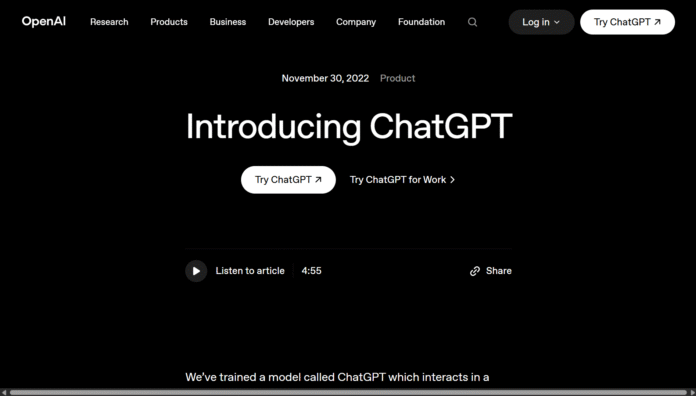
ChatGPT is OpenAI’s AI chatbot, first released on November 30, 2022. The tool runs on large language models, or LLMs, which are artificial intelligence systems trained to understand and generate text, code, images, and other content from prompts. ChatGPT has also become one of the most widely used free AI tools, with 900 million weekly active users reported in February 2026.
OpenAI built ChatGPT for back-and-forth conversations, so you can ask follow-up questions, refine an answer, or give extra context when the first response isn’t quite right. We’d use it when we need one tool for writing, research, brainstorming, coding help, image questions, and everyday planning.
What we like:
- Strong all-rounder: ChatGPT handles writing, summaries, code, images, planning, and research-style tasks well.
- Easy to refine: You can correct the answer, ask for a different tone, or request a shorter version.
- Useful free access: The free tier gives you enough room to test real tasks before you upgrade.
What we dislike:
- Fact-checking is still needed: ChatGPT can sound confident even when a detail needs verification.
- Advanced features have limits: Some stronger tools, usage levels, and models sit behind paid plans.
- Busy periods can affect access: Free users may face tighter limits when demand is high.
Best for: Everyday writing, research, brainstorming, coding support, image questions, and general learning.
2. Claude

Claude is Anthropic’s AI assistant, launched publicly in March 2023. Anthropic describes Claude as a next-generation assistant built around helpful, honest, and harmless AI systems. The tool uses large language models to help with writing, summaries, coding, question answering, and long document work. Claude had about 18.9 million monthly active users in 2026, according to Backlinko’s usage report.
Anthropic was co-founded by Dario Amodei and other former OpenAI employees, including Daniela Amodei. The company focuses heavily on AI safety and reliability, which shows in Claude’s careful tone and strong performance with longer, more detailed tasks.
What we like:
- Excellent writing quality: Claude is strong at clean drafts, rewrites, outlines, and polished explanations.
- Great with long text: The tool works well when you need summaries, edits, or feedback on longer documents.
- Natural tone control: Claude often gives smoother, less robotic copy than many other chatbots.
What we dislike:
- Free limits can feel tight: Long documents and repeated prompts may hit usage limits quickly.
- Some answers feel too cautious: Claude may over-explain or refuse tasks that other tools handle directly.
- Fewer built-in extras: You may need other free tools for image generation, video work, or deeper integrations.
Best for: Long-form writing, editing, document summaries, careful explanations, and coding help.
3. Google Gemini

Google Gemini is Google’s AI chatbot and model family, first announced in December 2023. Gemini works across text, images, audio, video, and code, which makes it useful if you want one assistant for search, productivity, and creative tasks. Google said the Gemini app passed 750 million monthly active users in 2026, showing how quickly AI chat has moved into search and everyday apps.
Google DeepMind leads Gemini’s model development, with Demis Hassabis introducing the first Gemini models on behalf of the Gemini team. The tool fits naturally into Google’s wider ecosystem, so you’ll get the most value if you already use Search, Gmail, Docs, Drive, YouTube, or Android.
What we like:
- Strong Google connection: Gemini works well for users already tied to Google apps and Android.
- Good for quick research: The chatbot is useful when you want web-aware answers, summaries, or starting points.
- Multimodal support: Gemini can work with different input types, including text and images.
What we dislike:
- Quality can vary: Some answers are clear and current, while others need extra prompting.
- Best value sits inside Google’s ecosystem: Gemini may feel less useful if you mostly use Microsoft or Apple tools.
- Polished writing may need edits: Some drafts need tightening before they feel ready to publish.
Best for: Google users, web research, quick summaries, image questions, and productivity across Google apps.
4. Microsoft Copilot

Microsoft Copilot is Microsoft’s AI assistant for web search, Windows, Edge, and Microsoft apps. The product grew out of Bing Chat, which launched in preview in February 2023, then became Microsoft Copilot later that year. Microsoft said Copilot had generated billions of prompts and responses by the time it became generally available in December 2023.
Copilot combines Microsoft’s search and productivity tools with large language models. The free version works well for web answers, summaries, short drafts, and image generation, while the paid Microsoft 365 version connects more deeply with Word, Excel, Outlook, Teams, and PowerPoint.
What we like:
- Useful for Microsoft users: Copilot fits naturally into Windows, Edge, Bing, and Microsoft 365 workflows.
- Good web support: The tool works well when you need current search-style answers and summaries.
- Clear upgrade path: You can start free, then move into deeper Microsoft 365 features if your work depends on those apps.
What we dislike:
- Writing can feel less polished: Copilot isn’t always as smooth as ChatGPT or Claude for finished drafts.
- Search-style answers can dominate: Some responses feel more like summaries than direct writing help.
- Best features depend on Microsoft apps: You’ll get less value if your daily workflow sits outside Microsoft’s ecosystem.
Best for: Microsoft users, web research, Windows workflows, quick summaries, and productivity tasks tied to Microsoft apps.
Best Free AI Image Generators
AI image generators turn simple text prompts into visuals you can use for blog graphics, social posts, mockups, ads, and creative tests. The strongest free tools in this category give you enough image credits, style control, and editing options to test ideas before you move to a paid plan.
Here are our top 5 best free AI image generator tools in 2026:
5. Bing Image Creator

Bing Image Creator is Microsoft’s free AI image generator, launched in March 2023 and built into Bing and Microsoft Copilot. Microsoft first powered the tool with OpenAI’s DALL-E image models, and the company said users had created billions of images with Bing Image Creator by late 2024.
The tool works well if you want a simple way to create images from text without learning design software. We’d use it for quick blog visuals, concept images, social graphics, and idea testing, but you’ll still need to check details closely because AI image tools can distort hands, text, logos, and faces.
What we like:
- Beginner-friendly setup: You can start with a prompt and get images quickly.
- Strong Microsoft Access: The tool works inside Bing and Copilot, which helps if you already use Microsoft products.
- Good for quick ideas: Bing Image Creator works well when you need fast visual options.
What we dislike:
- Details can be uneven: Hands, small objects, and strict layouts may need several tries.
- Text can still fail: Some image text may come out misspelled or distorted.
- Creative control is limited: You don’t get the same advanced settings as specialist image tools.
Best for: Quick visuals, social posts, blog images, thumbnails, and beginner-friendly image generation.
6. Ideogram

Ideogram is a text-to-image AI platform launched in August 2023 by a team that included former Google Brain researchers. The tool stands out for text inside images, which makes it useful when you want posters, thumbnails, product mockups, quote graphics, logos, or social media visuals with readable words.
Ideogram works best when you need clean design-style outputs rather than generic AI art. The free tier gives you room to test prompts, but serious creators may outgrow the limits if they need more generations, faster output, or commercial workflow features.
What we like:
- Better text handling: Ideogram is strong when you need readable words inside an image.
- Great for graphic concepts: The tool works well for posters, logos, memes, and bold social visuals.
- Simple prompt flow: You don’t need design experience to start testing ideas.
What we dislike:
- Free usage has limits: You may hit limits if you test many versions.
- Some outputs need cleanup: Text and layout can still need edits before publishing.
- Less suited to full design work: Ideogram creates images, but you may still need Canva or another editor.
Best for: Posters, logos, memes, thumbnails, quote graphics, and text-led visuals.
7. Leonardo.ai

Leonardo.ai is a generative AI tool image platform built for creators who want more control over image style, character design, assets, and visual direction. Canva acquired Leonardo.ai in July 2024, while Leonardo said the platform would keep running as an independent product and also bring its tools into Canva’s wider design ecosystem.
We’d place Leonardo.ai among the best free ai tools for users who want more than basic prompt-to-image output. The tool is useful for game assets, product concepts, character ideas, marketing images, and visual experiments, though beginners may need more time to learn its models, settings, and generation controls.
What we like:
- More style control: Leonardo.ai gives creators more ways to guide the look of an image.
- Strong for creative assets: The tool works well for characters, game ideas, product shots, and concept art.
- Useful creator workflow: You can test different styles and refine visual ideas before final design work.
What we dislike:
- Interface can feel busy: Beginners may need time to understand the settings.
- Best features may cost more: Some stronger tools and higher usage sit behind paid plans.
- Quick tasks may feel slower: The extra controls are useful, but they can be too much for simple image needs.
Best for: Concept art, game assets, character design, product visuals, and style-heavy images.
8. Mage.space

Mage.space is a browser-based AI image generator that focuses on fast image creation using Stable Diffusion models. Stable Diffusion is an open-source image generation model family that turns text prompts into images, and Mage.space gives you a simpler interface for testing those outputs without setting up software yourself.
The platform works well when you want to explore styles quickly, test prompt ideas, or create high-resolution images without a heavy design workflow. Third-party tracker, Best-AI.org listed Mage.space at about 746,600 monthly active users in its 2026 profile, which shows it still has an active user base among image-generation tools.
What we like:
- Wide model choice: Mage.space gives you access to different image styles and generation systems.
- Good for experiments: The tool works well when you want to test unusual prompts or visual directions.
- Flexible creative use: You can use it for art, characters, scenes, and AI video tests.
What we dislike:
- Results can vary: Output quality depends heavily on the model and prompt you choose.
- Less polished workflow: Mage.space may feel rougher than Canva or Bing Image Creator.
- Learning curve exists: You may need several tests before you understand which model works best.
Best for: Experimental art, character ideas, scene generation, AI video tests, and prompt exploration.
9. Canva AI

Canva AI is Canva’s built-in creative AI suite for generating and editing images inside its design platform. Canva has more than 220 million active users worldwide, and its AI tools sit inside a product many people already use for presentations, social posts, flyers, ads, and brand graphics.
Canva AI is one of the best AI apps to recommend if you want image generation plus editing in one place. You can create an image, place it into a ready-made template, adjust text, resize it for different channels, and finish the design without moving between several ai platforms.
What we like:
- Built for finished designs: Canva AI helps you move from image idea to publishable graphic.
- Easy template workflow: You can add generated images to flyers, posts, decks, ads, and banners.
- Useful for non-designers: Canva makes image generation feel less technical.
What we dislike:
- Prompt control is limited: Canva AI doesn’t give you as many advanced settings as Leonardo.ai.
- Some assets need editing: Generated images may need layout, color, or text adjustments.
- Best tools may require upgrades: Some premium templates, exports, and AI features sit behind paid plans.
Best for: Social posts, flyers, presentations, ads, website graphics, and simple branded visuals.
Best Free AI Video Tools
AI video tools now help you turn prompts, scripts, images, and rough ideas into short videos without learning a full editing suite first. Here are our best AI video tools in 2026:
10. Invideo AI

Invideo AI is a browser-based video creation tool that works more like a production assistant than a raw video generator. You type a prompt, and the platform can help build a video with a script, scenes, stock footage, voiceover, music, captions, and edits. Invideo says its platform gives users access to more than 200 image, video, audio, and music models, including Veo 3.1, Sora 2 Pro, Kling 3.0, and ElevenLabs music.
The main strength is workflow. For example, you could ask it to create a 60-second Instagram video explaining “how to choose a budget laptop,” then refine the tone, shorten the script, change the voiceover, or swap scenes using follow-up prompts. That makes Invideo AI useful when you want a near-complete video draft instead of only a silent AI-generated clip.
What we like:
- Full video workflow: Invideo AI helps with scripting, visuals, voiceover, music, captions, and edits in one place.
- Prompt-based editing: You can ask for changes in plain language instead of dragging every clip on a timeline.
- Good for practical content: The tool fits explainers, ads, faceless YouTube drafts, product videos, and social clips.
What we dislike:
- Free outputs are more for testing: Watermarks, export limits, and quality restrictions can make free videos less suitable for client work.
- Model access can feel crowded: Having many models is useful, but beginners may need time to understand which option fits each task.
- Template-style results still need review: Some videos may need manual edits before they feel original or polished.
Best for: Social videos, explainer clips, faceless YouTube drafts, short ads, and fast marketing content.
11. Google Veo 3

Google Veo 3 is Google DeepMind’s advanced AI video generation model for creating video from prompts. Google describes Veo as a state-of-the-art video generation model, while Veo 3.1 adds stronger control, consistency, creativity, and native audio support. Native audio means the model can generate sound with the video, including effects, ambient sound, and dialogue-style audio, instead of leaving you with a silent clip.
Veo 3 works best when you need a cinematic visual rather than a templated marketing video. For example, you could prompt a close-up shot of a chef plating dessert under warm restaurant lighting, then use that clip as a concept for an ad, mood board, or short brand video. Google AI Studio also lists Veo 3.1 with support for 4K output and configurable landscape and portrait formats, which helps if you’re creating for YouTube, websites, TikTok, Instagram Reels, or Shorts.
What we like:
- Cinematic output: Veo is built for realistic scenes, camera movement, and polished visual ideas.
- Audio with video: Veo 3.1 can generate richer native audio, which saves you from building every sound layer separately.
- Useful format options: Landscape and portrait support make the tool more practical for different publishing platforms.
What we dislike:
- Access may not feel fully free: Veo features often sit inside Gemini, Flow, Google AI Studio, or developer tools, so availability can depend on your account or plan.
- Editing still needs another step: Veo can generate strong clips, but final videos may still need trimming, captions, branding, or sequencing elsewhere.
- Realism raises trust issues: Highly realistic AI video needs careful labeling and review so viewers don’t mistake generated footage for real events.
Best for: Cinematic clips, product concepts, mood boards, short creative scenes, and high-quality prompt-to-video tests.
12. Kling AI

Kling AI is an AI video generation platform from Kuaishou, the Chinese company behind major short-video products. The tool is known for text-to-video and image-to-video generation, which means you can start with a written prompt or animate a still image into a short moving clip. Kuaishou rolled out Kling AI 2.0 to global users in April 2025 and introduced Kling AI 2.1 at the end of May 2025, with Standard 720p mode and High Quality 1080p mode.
Kling AI is useful when movement matters. For example, you could upload a product photo and ask for a slow rotating shot on a clean studio background, or turn a character image into a short walking scene. That makes it stronger for creators who care about motion, scene flow, and visual storytelling rather than only static design. Recent reports also show strong commercial interest around Kling AI, with Kuaishou exploring a spin-off that could value the unit at about $20 billion.
What we like:
- Strong motion handling: Kling AI is useful for clips where movement, camera action, and scene continuity matter.
- Image-to-video support: You can animate a product image, character concept, fashion shot, or scene reference.
- Good creative range: The tool fits short storytelling tests, stylized videos, product movement, and social-first visuals.
What we dislike:
- Free credits can run out quickly: Prompt testing can use your allowance fast, particularly when you’re chasing the right motion.
- Results still need checking: Faces, hands, motion paths, and object details may need more than one generation.
- Workflow can feel less familiar: New users may need time to learn prompt structure, model settings, and quality modes.
Best for: Image-to-video clips, character movement, product shots, stylized scenes, and short storytelling tests
Best Free AI Voice & Audio Tools
Voice and audio tools help you turn text into speech, record cleaner meeting notes, transcribe interviews, or create music from a simple prompt. These free tools are useful if you want to test audio workflows before paying for a stronger free tier or creator plan.
Here are our top 4 best free AI voice and audio tools in 2026:
13. ElevenLabs

ElevenLabs is an AI voice platform founded in 2022 by Mati Staniszewski and Piotr Dąbkowski. The platform focuses on text-to-speech, voice cloning, dubbing, sound effects, and voice AI agents, and its website says it offers more than 5,000 voices across 70-plus languages. The company also said users had generated 1,000 years of audio content within its first two years, while employees at more than 60% of Fortune 500 companies had used its tools.
For natural narration, ElevenLabs works well for explainers, short videos, podcasts, accessibility, and product demos. The voice quality is its biggest strength, but you still need to use it carefully, since realistic AI voices raise clear consent, impersonation, and trust issues.
What we like:
- Realistic voice quality: ElevenLabs voices sound more natural than many basic text-to-speech tools.
- Large voice library: The wide voice and language range helps if you create content for different audiences.
- Strong creator workflow: Voiceover, dubbing, speech-to-text, and sound effects sit in one platform.
What we dislike:
- Credits can run out quickly: Long scripts, revisions, and multiple voice tests can use the free allowance fast.
- Voice cloning needs care: You should only clone voices you have permission to use.
- Best production features cost more: Heavy users may need a paid plan for longer projects and cleaner workflows.
Best for: Voiceovers, dubbing, audiobook samples, podcast clips, training videos, and multilingual audio.
14. Suno AI

Suno AI is a music generation tool that turns text prompts into full songs with lyrics, instruments, and singing voices. Microsoft added Suno to Copilot in December 2023, saying users could create personalized songs from a simple prompt without knowing how to sing, play an instrument, or read music.
For this list of best AI tools, Suno fits users who want to test music ideas, jingles, demos, background tracks, or creative concepts quickly. The platform offers a completely free tier, and Suno had raised $250 million at a $2.45 billion valuation, but you should check commercial-use rules and copyright questions before using AI-generated music in client or brand work.
What we like:
- Fast song drafts: Suno can turn a simple idea into a full track in minutes.
- Strong creative range: The tool handles different genres, moods, vocals, and lyric styles.
- Useful for examples: You can test a jingle, intro song, theme tune, or campaign idea before investing in studio production.
What we dislike:
- Free music rights may be limited: You should check the plan terms before using tracks commercially.
- Lyrics can need edits: Some lines may sound awkward, repetitive, or too generic.
- Personalized features may cost more: Voice training and custom model features are not always available on the free plan.
Best for: Song ideas, jingles, background music drafts, social audio, creative experiments, and music demos.
15. Otter.ai

Otter.ai is an AI meeting assistant for transcription, live notes, summaries, insights, and action items. The company, founded in 2016 by Sam Liang and Yun Fu, started as a speech-to-text tool and has grown into a meeting workflow platform for calls, interviews, lectures, and team discussions.
Meeting-heavy teams can use Otter.ai to capture notes without typing through the whole call. A Financial Times profile said Otter.ai had nearly 20 million users, which shows how common AI transcription has become in work settings, but you should still tell people when a meeting is being recorded or transcribed.
What we like:
- Meeting-focused workflow: Otter is built around live notes, summaries, transcripts, and follow-up work.
- Searchable transcripts: You can find key points later instead of replaying full recordings.
- Useful free allowance: The monthly free minutes can cover a light meeting or an interview.
What we dislike:
- Accuracy depends on audio quality: Background noise, accents, and people talking over each other can affect transcripts.
- Advanced automation costs more: Stronger team features and deeper integrations may require paid plans.
- Not built for AI voice generation: Otter is for capturing speech, not creating voiceovers or music.
Best for: Meeting notes, interviews, lectures, sales calls, research recordings, and action-item tracking.
16. Whisper

Whisper is OpenAI’s automatic speech recognition, or ASR, system, released on September 21, 2022. ASR means software that turns spoken audio into written text. OpenAI trained Whisper on 680,000 hours of multilingual and multitask supervised data, which helps it handle accents, background noise, technical words, language detection, and translation better than many older transcription tools.
We’d choose Whisper if you want a more technical but powerful transcription option, since developers can run it through code, apps, or other ai models that build on the model. Whisper isn’t as beginner-friendly as Otter.ai, but it’s a strong choice when you need flexible speech-to-text for podcasts, interviews, videos, research calls, or multilingual audio.
What we like:
- Open-source access: Technical users can run or build with Whisper instead of relying only on a closed app.
- Strong multilingual support: Whisper can handle transcription, translation, and language identification across many audio use cases.
- Flexible use cases: The model works well behind transcription apps, subtitle tools, research workflows, and audio-processing pipelines.
What we dislike:
- Setup can be technical: Non-developers may prefer Otter.ai or another app with a simple interface.
- No full meeting workspace: Whisper doesn’t give you built-in meeting summaries, calendars, or team workflows by itself.
- Performance depends on implementation: Speed, accuracy, and cost can vary depending on the app, hardware, or service using it.
Best for: Transcription apps, subtitles, multilingual audio, research workflows, developer projects, and speech-to-text pipelines.
Best Free AI Coding Tools
AI coding tools help you write, debug, explain, and refactor code faster. For this section, we looked at code completion, chat support, editor access, debugging help, and how useful each free tier feels before you upgrade.
Here are our top 4 best AI coding tools in 2026:
17. Codeium

Codeium, now part of Windsurf, is an AI coding assistant for autocomplete, chat, and code search. It supports 70+ programming languages, so it’s useful if you work across different stacks.
Best for: Students, beginners, and developers who want free tools inside their editor.
What we like:
- Broad language support
- Helpful code explanations
- Works inside popular editors
What we dislike:
- Branding can feel confusing after the Windsurf shift
- Advanced agent features take time to learn
18. Cursor

Cursor is an AI code editor built for working across full projects, not just single code snippets. You can chat with your codebase, edit several files, fix bugs, and ask the tool to explain errors.
Best for: Developers building full apps or working inside larger codebases.
What we like:
- Strong codebase awareness
- Useful multi-file editing
- Good for real project work
What we dislike:
- Requires switching editors
- Free usage can feel limited access for heavy coding
19. GitHub Copilot

GitHub Copilot is GitHub and Microsoft’s AI coding assistant for completions, chat, edits, and developer workflows. Copilot Free gives users 2,000 code completions and 50 chat messages per month, making it one of the easiest totally free AI tools to test if you already use Visual Studio Code or GitHub.
Best for: Visual Studio Code users, GitHub users, students, and open-source contributors.
What we like:
- Easy setup in Visual Studio Code generation
- Clear monthly free limits
- Strong GitHub ecosystem fit
What we dislike:
- Free chat messages run out fast
- Generated code still needs testing
20. DataLab

DataLab is DataCamp’s AI-powered notebook for data analysis, charts, and reports. Unlike general coding assistants, it helps you ask data questions, generate Python or SQL code, and review the results in one workspace.
Best for: Data analysis, notebooks, spreadsheet exploration, Python practice, and SQL learning.
What we like:
- Great for data workflows
- Code stays visible
- Helpful for beginners learning analysis
What we dislike:
- Not built for full app development
- Free AI usage is limited
Best Free AI Productivity and Research Tools
Research tools are useful when you need answers grounded in files, papers, meetings, or work apps, not just a general chatbot response. Here are our top 3 free AI productivity and research tools in 2026:
21. NotebookLM

NotebookLM is Google’s AI research assistant for working with your own sources. You can upload documents, notes, links, PDFs, and other materials, then ask questions, create summaries, or generate study-style outputs from that content. Google describes NotebookLM as a tool that analyzes your sources and turns complex material into clearer explanations.
Best for: Students, writers, researchers, and teams reviewing long source material.
What we like:
- Source-grounded answers
- Useful summaries from your own files
- Helpful for turning research into notes, outlines, or study guides
What we dislike:
- You still need to check source accuracy
- Not ideal for broad web research
- Works best when your uploaded material is clear
22. Google Workspace

Google Workspace brings Gemini into tools many people already use, including Gmail, Docs, Sheets, Slides, Drive, Meet, Chat, and Vids. Google says Gemini in Workspace can help you write emails and documents, create spreadsheets, design presentations, find information in files, and capture meeting notes.
Best for: Gmail, Google Docs, Sheets, Slides, Drive, and Meet users.
What we like:
- AI inside everyday work apps
- Helpful for drafts, summaries, spreadsheets, and meeting notes
- Good fit if your files already live in Google Drive
What we dislike:
- Best features depend on your Workspace plan
- AI prompts inside many apps may feel distracting
- Outputs still need human review before sharing
23. Consensus

Consensus is an AI academic search engine for peer-reviewed literature. It helps you search for research papers, understand findings, and trace answers back to cited studies. Consensus describes itself as a research operating system for finding, organizing, and analyzing science faster, while university guides note that it searches more than 200 million academic papers.
Best for: Students, health writers, researchers, and anyone checking claims against published studies.
What we like:
- Answers tied to research papers
- Useful for evidence checks
- Better than a general chatbot for scientific questions
What we dislike:
- Not every topic has strong research coverage
- Some advanced features may need a paid plan
- You still need to read the cited papers before making strong claims
When Should You Upgrade to a Paid AI Tool?
You should upgrade when the free tier starts slowing down real work, not just when a tool asks you to pay. If you keep hitting usage caps, need better exports, want advanced AI models, or rely on AI for client work, a paid plan can save time. This is especially true for video, voice, coding, and research tools where limits can affect quality, speed, or output rights.
You don’t need to pay for every tool in this list. Start with the best free AI tools that match your workflow, test them on real tasks, then upgrade only when the paid features solve a clear problem. For example, paying for an AI video tool makes sense if watermarks block publishing, but it doesn’t make sense if you’re only testing ideas once a month.
Final Verdict
The best free AI tools in 2026 are strong enough for real work, but they’re not equal. ChatGPT is the best all-rounder, Canva AI is the easiest for finished visuals, Invideo AI is useful for quick video drafts, ElevenLabs stands out for voice quality, GitHub Copilot is the easiest coding assistant to test, and NotebookLM is the strongest pick for source-based research.
The honest approach is to start with one tool per category, test it on a real task, and upgrade only when the free version blocks your workflow. Free AI tools are best for learning, drafting, testing ideas, and speeding up routine work, while paid plans make more sense when you need higher limits, better exports, commercial rights, or deeper integrations.
FAQs
Which AI is best for free?
ChatGPT is the best free AI tool for most people because it handles writing, research, coding help, image questions, planning, and everyday tasks well. Gemini is also strong if you already use Google apps.
Which free AI is better than ChatGPT?
Claude can be better than ChatGPT for long-form writing, careful editing, and document summaries. Gemini can be better for Google search-style tasks, while Copilot can be better if you work inside Microsoft tools.
Is ChatGPT or Claude better?
ChatGPT is better as an all-rounder, while Claude is better for polished writing and long document work. We’d use ChatGPT for mixed tasks and Claude when tone, structure, and careful explanation matter more.
What is a free AI tool with no limits?
Most free AI tools have limits, including usage caps, slower speeds, watermarks, or restricted features. Truly unlimited free AI tools are rare, so you should check each tool’s current free plan before relying on it.
The post 23 Best Free AI Tools in 2026: Tested, Ranked & Compared by Category appeared first on Memeburn.