



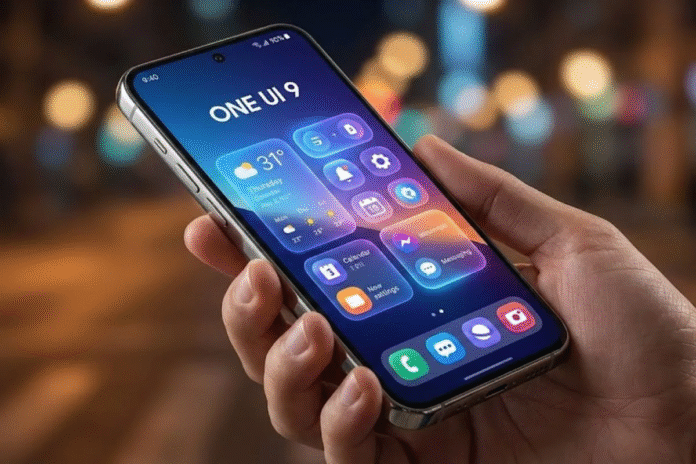
Samsung just dropped its One UI 9 beta for the Galaxy S26 series, and buried inside the update is a feature that could change how millions of people manage screen time. The tool is called “Network management for concentration,” and it does exactly what it sounds like: it cuts internet access to distracting apps entirely, not just gray them out or set a timer.
Unlike the app timers and soft nudges found in most digital wellbeing tools, this One UI 9 feature operates at the network layer. That means selected apps lose their internet connection completely. No scrolling. No refreshing. No workaround by simply tapping “ignore limit.”
For anyone who has ever set a screen time limit only to bypass it 30 seconds later, Samsung may finally have an answer.
What Is One UI 9’s Concentration Mode?
One UI 9 is Samsung’s latest software update, built on Android 17. The beta program launched on May 12, 2026, starting with the Galaxy S26 series in select markets including the United States, United Kingdom, Germany, South Korea, India, and Poland.
While the official changelog highlights updates to Samsung Notes, the Quick Panel, and accessibility improvements, the concentration feature was not part of the official announcement. It was discovered inside a hidden settings area called Connectivity Labs, a diagnostic menu that users can access by repeatedly tapping “Intelligent Wi-Fi” in the Wi-Fi settings.
According to Android Authority, the feature’s code strings describe it as a tool to “reduce distractions from videos, social media, and games to improve concentration on work and study.” Screenshots have since confirmed the feature is accessible in the official One UI 9 beta through Connectivity Labs.
This is not a concept or a rumor. The feature exists in the current beta build, though it remains in Samsung’s experimental labs section and may or may not ship in the final release.

How Does Network-Level App Blocking Actually Work?
Most focus tools on smartphones work at the app level. They either gray out an app icon, send you a reminder that your time is up, or hide the app temporarily. The problem? You can usually bypass these restrictions with a single tap.
Samsung’s approach is fundamentally different. Instead of blocking the app itself, it blocks the app’s internet access. The app still sits on your home screen, but it cannot connect to the internet. No feed updates, no new messages, no video streams.
The feature organizes apps into predefined categories to make setup quick:
- Social (apps like Instagram, Facebook, X)
- Streaming (YouTube, Netflix, and similar platforms)
- Games (mobile games that require online connectivity)
- Browser (web browsers)
- Other (anything that does not fit the above categories)
- Preset (likely a preconfigured combination of the above)
Users can block entire categories at once instead of selecting individual apps. This category-based approach means setting up restrictions takes seconds rather than minutes.

PIN Protection and Scheduled Downtime: Built for Self-Control and Parenting
What makes this tool particularly hard to cheat is the PIN system. Samsung’s code references a six-digit PIN that users must set up before enabling network restrictions. Changing or disabling the restrictions requires entering this PIN.
The code also includes prompts for PIN recovery, reset confirmation, and incorrect entry handling. This design suggests Samsung built the feature with two audiences in mind:
- Adults who want to enforce their own focus sessions and need a barrier strong enough to stop impulsive bypassing
- Parents who want to restrict children’s access to distracting content without worrying the kids will simply turn the feature off
There is also a scheduled Downtime mode with configurable start and end times. Users can set restrictions to activate automatically during specific hours, such as study time, work hours, or bedtime, and deactivate when the scheduled period ends.
This combination of network-level blocking, PIN enforcement, and scheduling creates a layered system that goes well beyond what most built-in phone tools currently offer.
How Samsung’s Tool Compares to Apple Screen Time and Google Focus Mode
To understand why Samsung’s approach stands out, it helps to see how it stacks up against existing options.
| Feature | Samsung Concentration Mode | Apple Screen Time | Google Digital Wellbeing |
| Blocking method | Cuts internet access at network level | Grays out apps, blocks launch | Grays out apps, pauses notifications |
| Bypass difficulty | Requires 6-digit PIN | Passcode (often bypassed by kids) | Single tap to turn off |
| Category blocking | Yes (Social, Games, Streaming, Browser) | Per-app only | Per-app only |
| Scheduled downtime | Yes, configurable | Yes, configurable | Yes, configurable |
| Parental control potential | Strong (PIN-locked) | Moderate (multiple known bypasses) | Weak (no PIN barrier) |
| Built into OS | Yes (Samsung devices) | Yes (Apple devices) | Yes (Android devices) |
Apple’s Screen Time is the most widely used parental control tool on smartphones, but it has a well-documented bypass problem. Kids have found ways to circumvent restrictions through device resets, app reinstalls, and third-party unlock software. Apple has been gradually patching these loopholes, with iOS 26 finally adding the ability to set app limits to zero. But the core approach remains app-level blocking.
Google’s Digital Wellbeing Focus Mode works on all Android devices, but it suffers from the same core weakness: anyone can turn it off with a single tap. There is no PIN, no password, and no meaningful friction. A writer at Android Police who tested Focus Mode for an entire week found that while it raised awareness of bad habits, the tool had clear limitations: it does not restrict web browsing, and disabling it takes just one tap with zero friction.
Samsung’s tool addresses both of these problems. Network-level blocking is harder to bypass than app-level blocking because the restriction happens at a deeper system layer. And the PIN requirement means that turning it off requires deliberate effort, which is the kind of friction that actually works against impulsive phone checking.
Why This Feature Matters Right Now
The timing of this feature is not accidental. Phone addiction has become one of the defining tech concerns of 2026.
Recent data paints a striking picture. Americans now spend over five hours per day on their phones on average, checking their devices roughly every ten minutes during waking hours. Nearly 46% of Americans say they consider themselves addicted to their phones, while Gen Z averages over six hours of daily phone use.
The gap between wanting to reduce screen time and actually doing it is enormous. Surveys consistently show that more than half of smartphone users want to cut back, yet average usage keeps climbing year after year. The problem is not awareness. It is that most tools designed to help are too easy to defeat.
Third-party apps like AppBlock and Forest have tried to fill this gap, but they require separate installation, need special permissions, and can be uninstalled entirely when temptation hits.
A tool baked directly into the operating system, enforced at the network level, and protected by a PIN is a fundamentally different proposition. Samsung appears to be the first major smartphone maker to take this approach.
When Is One UI 9 Coming Out?
The One UI 9 beta is available now for Galaxy S26, Galaxy S26+, and Galaxy S26 Ultra owners in the US, UK, Germany, South Korea, India, and Poland. Users can sign up through the Samsung Members app.
Key dates to keep in mind:
- May 12, 2026: One UI 9 beta launched in Germany, UK, US, and South Korea
- May 26, 2026: Second beta update, expanding to India and Poland
- Summer 2026 (likely July): Stable One UI 9 release expected alongside Galaxy Z Fold 8 and Galaxy Z Flip 8
- Late 2026: Wider rollout to older Samsung flagship and mid-range devices
Samsung has confirmed the full One UI 9 experience, including advanced AI features, will debut with the upcoming Galaxy foldable devices. The Unpacked event is reportedly scheduled for July 22 in London. Samsung currently offers up to seven major Android updates for recent flagships, so devices from the Galaxy S23 onward, along with recent Z Fold, Z Flip, A-series, and Tab S models, are expected to receive One UI 9.
Samsung’s broader software roadmap also includes the One UI 8.5 update for eligible Galaxy devices, giving users another reason to track which Galaxy models will receive Samsung’s next major features.
Will the Concentration Feature Be Available on All Devices?
This is the one uncertainty. The concentration mode currently sits inside Connectivity Labs, Samsung’s experimental feature testing ground. There is no guarantee it will ship in the stable One UI 9 release.
However, several signals suggest Samsung is serious about this:
- The feature has a complete user interface with categories, PIN management, and scheduling
- Screenshots confirm it is functional in the current beta, not just dormant code
- Samsung recently moved Parental Controls to a separate section in One UI 9’s Settings app, signaling increased focus on digital wellbeing tools
- The broader industry trend toward stricter screen time controls (Apple’s iOS 26 Screen Time improvements, government regulations on children’s phone use) creates pressure for Samsung to ship competitive features
Even if the concentration feature does not make the first stable release, it is likely to appear in a future One UI 9 update or in One UI 9.5.
FAQS
Q1. Is One UI 9 based on Android 17?
Yes. One UI 9 is built on Android 17, which brings platform-level improvements including floating app bubbles, adaptive app layouts across different screen sizes, and a system-level contacts picker for better privacy control.
Q2. Can I try the One UI 9 beta right now?
If you own a Galaxy S26 series device in one of the supported countries (US, UK, Germany, South Korea, India, or Poland), you can sign up through the Samsung Members app and download the beta update from Settings > Software Update.
Q3. Does the concentration mode block Wi-Fi, mobile data, or both?
The feature operates at the network level, meaning it blocks internet access regardless of connection type. Apps in restricted categories cannot connect through Wi-Fi or mobile data.
Q4. How is this different from Airplane Mode?
Airplane Mode blocks all connectivity for all apps. Samsung’s concentration mode is selective: it only blocks internet for the categories you choose while keeping everything else fully connected. You can still receive calls, use work apps, and browse productivity tools while social media and games are cut off.
The post One UI 9 Can Now Block Distracting Apps at the Network Level appeared first on Memeburn.